Vertical Alignment (Menu-File, Edit)
Menu - File

1. User GL
If you have survey elevations, click the menu. and you show a dialog with a spreadsheet.


· Save : send data in the spreadsheet to variables.
· Export Excel : export data in the spreadsheet to excel file.
· Print : print spreadsheet.
· Print Preview : preview spreadsheet for print.
- menu->edit : If click mouse right button in the spreadsheet, you show menu-edit.
· Insert Row : insert rows in current row.
· Delete Row : delete selected rows.
· Reverse Spread : reverse data in the spreadsheet.
· Select Polyline : select the lwpolyline on current drawing.
2. Export
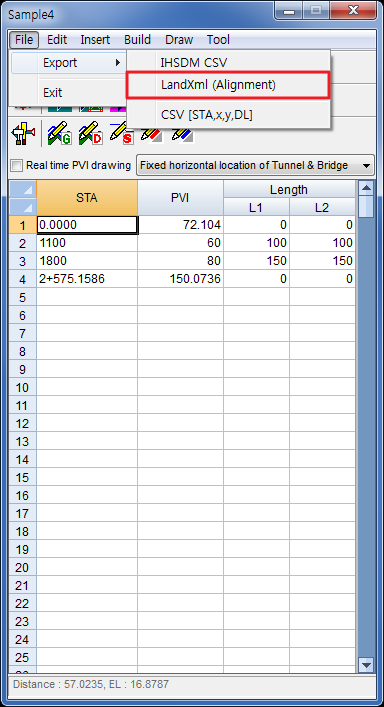
- Export->IHSDM csv : export a file that is compatible with IHSDM(Interactive Highway Safety Design Model) csv.
- Export->CSV [sta,x,y,DL] : export csv file which include station, x, y and design level.
Menu - Edit
If you click mouse-right-button in the spreadsheet, you show the menu. 

1. Insert Row
Insert a row or rows at current row.
2. Delete Row
Delete selected rows.
3. No -> STA
Change numbering station to distance station.
4. STA -> No
Change distance station to numbering station.
5. Round Data
Round value in current cell or selected block.- Draw PVI : draw PVI on current drawing.If you execute this command, draw all object checked in the drawing options, as well as PVI entity.

Move the view in the current PVI. Its x-coordinate is the current PVI’s station and y-coordinate is PVI’s elevation.


7. Select PVI
Selecting a lwpolyline, insert STAs and PVIs in the spreadsheet
before selecting an entity.
after selecting an entity.
Picking points on current drawing, insert STAs and PVIs in the spreadsheet.

9. Set PVI [Slope]
Update the previous(next) PVI elevation by setting slope(%).
10. Set PVI [Previous And Next]
Update the current PVI by slope with previous PVI and next PVI.
11. Reverse PVI
Reverse values in the spreadsheet.
12. L1/2->L1 L1/2->L2
Put the half value in L1-cell to L1-cell and L2-cell.- K(Rv/100) -> L1,L2 : change the K-value (the rate of change of grade) to L1 and L2.

Comments
Post a Comment